

Save time on editing
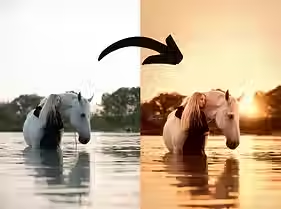
Edit your photos with just one click
Create a consistent style
Most asked questions
What are presets?
Presets are ready-made filters (default settings) that you can apply to your photos.
They are ideal for giving your photos that special something and customizing them to your taste.
Make it easy on yourself and save time.
How do I download the presets?
The presets are available for direct download. You will find them in the confirmation email for your order.
How do I import the presets into Lightroom?
Once you have downloaded the presets, you will find them in the Downloads folder on your computer.
In Lightroom, go to “Presets” when editing.
Click on the plus sign and then on “Import Presets.”
Select all presets in the downloaded folder, and they will be available in Lightroom under “Presets.” Ready to use!
Can I also use the presets on my phone?
It is possible to use the desktop presets on your phone.
Please note: You must convert them yourself first. All Lightroom desktop XMP files must be converted to DNG files (one photo per preset).
How does this work?
1. Download these DNG photo files to your mobile phone (PNG photos, each of which has a Lightroom preset saved in it).
2. Upload these DNG photos to the Lightroom mobile app.
3. Open the photo, click on the three dots in the top right corner and select “Create Preset”.
4. Create a folder where you want to save this preset.
5. The preset is now saved individually in the folder and you can apply it to your own photos.