
Online course
Photoshop for beginners
The perfect start to professionally editing your equine photos!
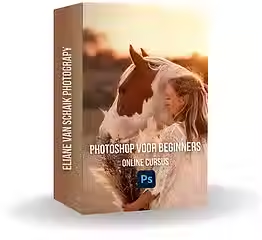-8_png.avif)
Want to take your horse photography to the next level, but don't know where to start with Photoshop? In this course, you'll learn the basics of Photoshop step by step, with a specific focus on horse photography. Whether you want to remove distracting elements, perfect colors, or give your photos a professional touch—after this course, you'll know exactly how to do it!
All videos are recorded in Dutch and have English subtitles.
Step-by-step guidance
Learn how to apply the basics
in Photoshop right away
Edit directly
Edit directly with your own photo
Unlimited access
6 video lessons
Why edit in Photoshop?
Adobe Photoshop has been the gold standard in the world of photo editing for years. It offers a huge range of tools and options to help you perfect your photos down to the smallest detail. Whether you want to adjust the exposure, change colors, or remove distracting objects, Photoshop can do it all. For photographers who want to edit their work professionally, Photoshop is an indispensable tool.
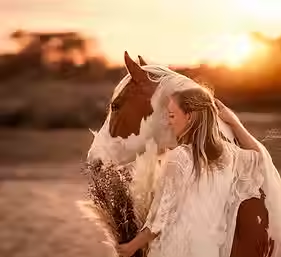
What will you learn?
The online course “Photoshop for Beginners” has been carefully designed to teach you all the basics of Photoshop. Here is an overview of what you will learn:
All videos are recorded in Dutch and subtitled in English.
1 Start Photoshop
The adventure begins at the very basics: opening Photoshop. You will learn how to launch the software, how to create a new workspace, and how to import your photos. This is the first step toward discovering the powerful tools that Photoshop has to offer.
2 Camera Raw filter
One of the first tools you will learn to use is the Camera Raw Filter. This tool is essential for editing RAW files, which is a huge advantage for photographers. You will learn how to make basic adjustments such as exposure, contrast, and white balance. This will instantly improve the appearance of your photos.
3 Tools in Photoshop
Photoshop has a huge number of tools, and it can be overwhelming to know where to start. In this part of the course, you will learn about the most essential tools and how to use them effectively. These include the brush tool, clone stamp, and magic wand. You will learn how to use these tools to edit specific parts of your photo and correct minor imperfections.
4 Masks and layers
One of the most powerful features of Photoshop is the use of layers and masks. This part of the course teaches you how to create and manage layers, and how to use masks to make only certain parts of a layer visible. This allows you to perform complex edits without damaging your original image.
5 Remove distracting objects
Every photographer is familiar with the problem of unwanted objects in a photo. Whether it's a pole in the background or a speck of dust on the lens, distracting objects can ruin an otherwise perfect photo. In this module, you will learn various techniques for effectively removing these objects, such as the clone stamp and content-aware fill.
6 Saving and exporting
The final part of the course focuses on correctly saving and exporting your edited photos. You will learn how to save your files in different formats, depending on their intended use. Whether you want to share photos on social media or print them in high resolution, you will know exactly how to export your work.
Miriam L.
I am by no means an expert when it comes to Photoshop, but this course explained everything so clearly that I now feel much more confident editing my photos. The step-by-step guidance was exactly what I needed to master the basics. Eliane explains everything in an understandable way, and the practical exercises help me to apply the techniques directly to my own work. I can really recommend this course to anyone who wants to get started with Photoshop!"
Lara v. K.
“As a beginner photographer, I was often overwhelmed by the complexity of Photoshop. But this course has really boosted my confidence. The explanations are clear, the videos are easy to follow, and the practical tips are super useful. I am now able to improve my photos and do edits that I didn't know how to do before. Highly recommended for beginners!”
Laura N.
“The course is an excellent introduction to Photoshop. I liked that everything was explained at a leisurely pace, without being too overwhelming. The only thing I missed was perhaps a little more depth in some of the more advanced techniques, but for a beginner, this course is perfect. Thanks to Eliane, I can now edit and improve my own photos. Highly recommended for anyone who wants to learn how Photoshop works!”
At the end of this online Photoshop course, you will be able to:
-
Editing in Photoshop
-
Working with different tools in Photoshop
-
Editing with the Camera Raw filter
-
Editing highlights, shadows, and other light tones
-
Changing and editing colors
-
Working with masks and specific parts of your photo
-
Removing distracting objects in various ways
-
Saving/exporting photos


Inspiring learning environment
Learn at your own pace – Take the courses when it suits you, without any time pressure. Learn step by step and apply everything immediately in practice.
Access anytime, anywhere – Have you downloaded the app? Then you can access the courses and materials at any time, from any location.
Immediately applicable lessons – Practical explanations that you can immediately apply to your own photography.
Frequently asked questions
What do I need to take the course?
All you need is a computer with Adobe Photoshop installed. It is recommended that you use the latest version of Photoshop to ensure that you have access to all the features covered in the course.
How long does the course take?
The course is designed to be taken at your own pace. The total course consists of 6 lessons, but you can take them at your own pace and pause when necessary.
Is this course only for equine photographers?
In principle, any photographer can take this course. Everything you learn in this course is applicable in any niche, as you are just getting to know Photoshop.
Are the lessons also suitable if I don't speak Dutch?
Yes. All videos are recorded in Dutch and have English subtitles. This allows international photographers to follow the entire content and grow step by step within The Equine Photography Evolution.