
Save time on editing
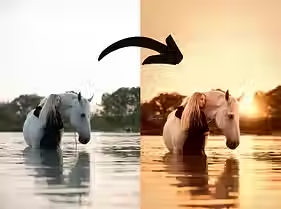
Edit your photos with one click
Create a consistent style
Frequently asked questions
What are Photoshop actions?
Actions are automated steps in Photoshop. With just one click, you can apply an edit to your photo – making your workflow much more efficient.
They’re perfect for giving your photos that special finishing touch, while still being able to adjust them to your own style.
Make things easy for yourself and save time.
How do I download the actions?
The actions are available for immediate download as a zip file. You’ll find the download link in the confirmation email of your order.
How do I import the actions into Photoshop?
Once downloaded, you’ll find the zip file in your computer’s downloads folder. First, unzip the folder with the actions.
In Photoshop, go to ‘Window’ → ‘Actions’. From the dropdown menu, choose ‘Load actions’ and then select all the actions you want to import.
They’re now ready to use!